E-mail/Phone Number Update
Going forward, Tech Support will no longer update registered email IDs or phone numbers, as an existing process is available for sellers to update these details.
If a seller encounters the error “Email/Phone Already Taken”, Seller will follow the below steps ;-
1. Seller Account
- Ask the seller to log in to their old account via Shiprocket using the existing email ID.
- If the seller has forgotten the password, ask them to reset it and log in.
- The seller will receive the OTP on the registered email ID. Once they log in using the OTP, they can release the email ID/phone number by:
- Adding a “+” before
@, for example,xyz+@gmail.com, or - Updating it to any other existing/valid email ID.
- Adding a “+” before
- Once the original email ID/phone number is released, the seller can use it in the new account.
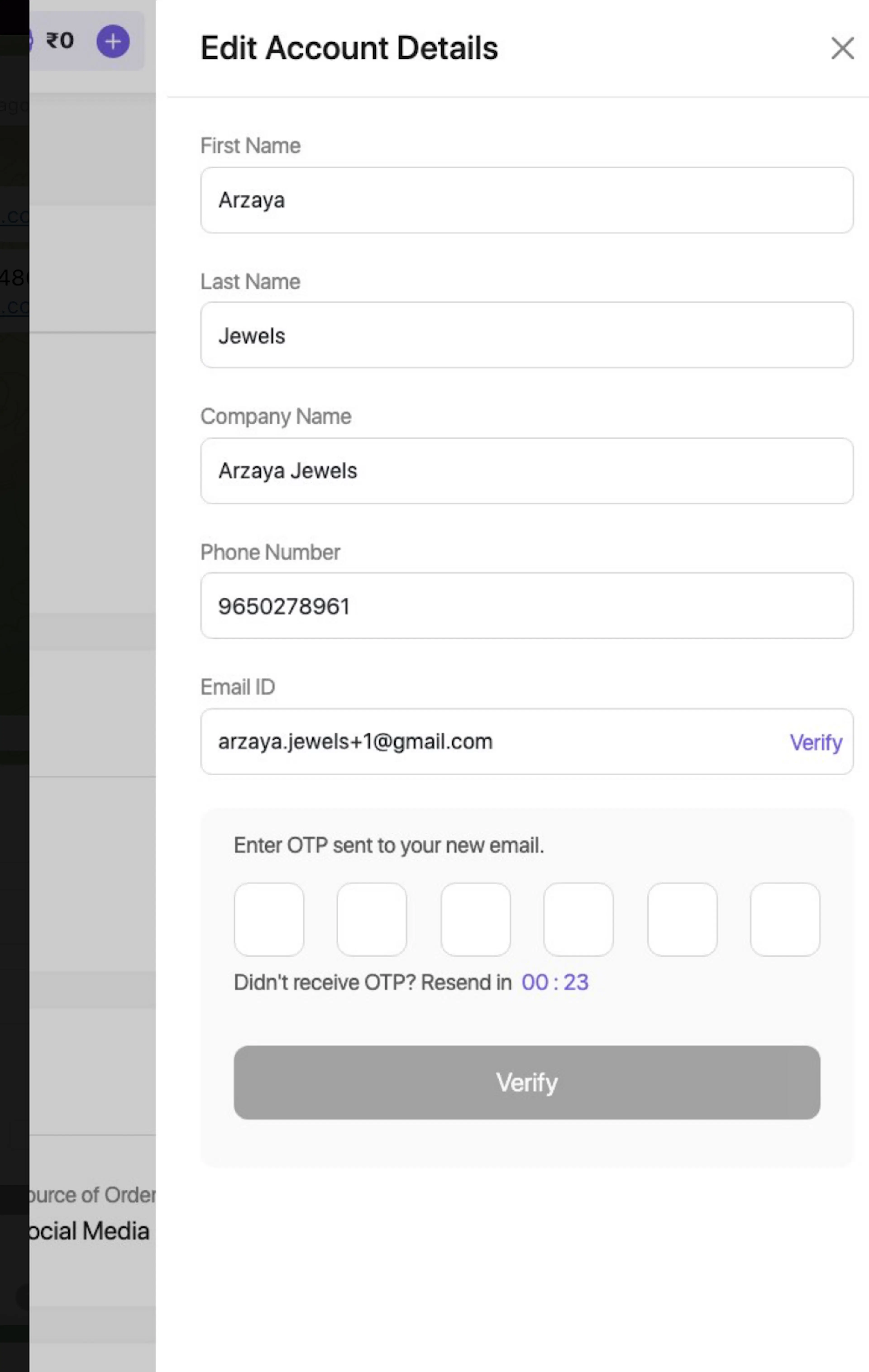
2. Manager User
- A Manager user can also log in to the existing account and release the email ID by:
- Adding a “+”, for example,
xyz+@gmail.com, or - Updating it to any other existing/valid email ID.
- Adding a “+”, for example,
- Once released, the original email ID can be added to the new account as an Admin User.\
Tech Support will not manually update registered email IDs or phone number
\
Was this page helpful?